

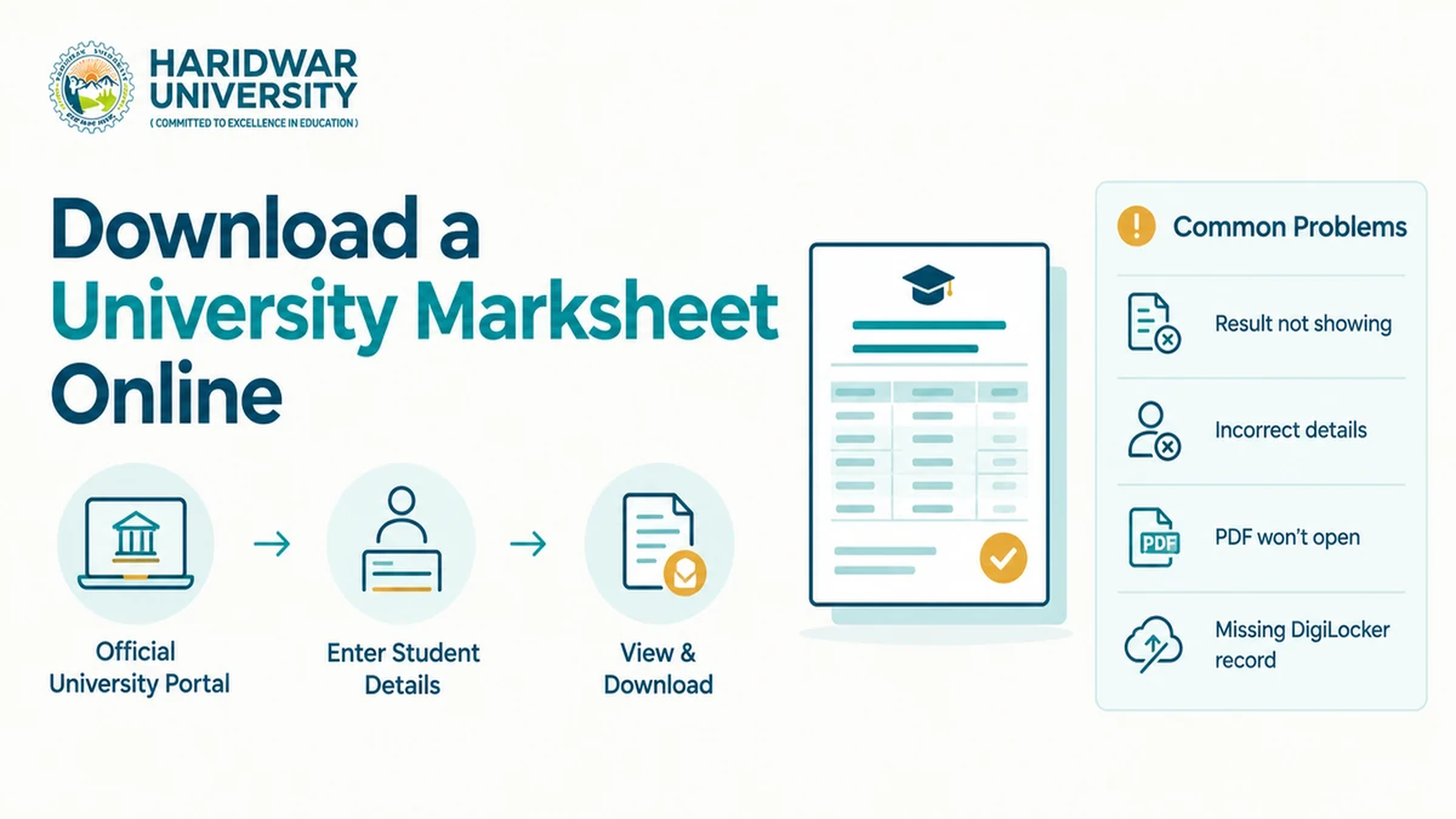
A university marksheet is far more than an end-of-term score report. Students routinely require authenticated marksheets for postgraduate admissions, national and state scholarship disbursements, campus placements, competitive examinations, visa processing, and corporate background verification. Knowing how to download a university marksheet online can save immense time, especially as higher education institutions increasingly digitize records via examination portals and the National Academic Depository (NAD) on DigiLocker.
However, the procedure is not uniform across all universities. Some institutions release semester-wise result cards on dedicated examination servers, while others push permanent digital awards directly into DigiLocker. Crucially, a temporary online result screenshot is not identical to an official consolidated marksheet or provisional degree certificate.
This step-by-step guide explains how to find genuine result portals, the exact details to keep ready, how to retrieve digital certificates from DigiLocker, and how to resolve common download errors.
Table of Contents
- • 1. How to Find the Official University Marksheet Portal
- • 2. How to Download a University Marksheet Online Step by Step
- • 3. How to Download a Marksheet Through DigiLocker
- • 4. How to Resolve Common Marksheet Download Problems
- • 5. Understanding Online Results, Marksheets and Degree Certificates
- • 6. What to Do When Marks or Personal Details Are Incorrect
- • 7. Frequently Asked Questions (FAQs)
- • 8. A Practical Checklist Before Using Your Downloaded Marksheet
1. How to Find the Official University Marksheet Portal
Always begin directly with the authenticated website domain of the university where you are enrolled. Within the navigation bar, look for dedicated sections titled Examination Results, Student Portal, Examination Cell, Academic Records, or Marksheet Download.
Before submitting sensitive student identifiers, confirm the URL security certificate and domain integrity. Generic search engine queries often return unofficial aggregator sites, spam score checkers, or outdated links. For enrolled students at Haridwar University, the verified gateway is the official Examination Results portal, which enables students to select their semester and input their unique 10-digit university enrolment number.
Essential Information to Keep Ready
- Enrolment or Registration Number: Your unique university identification code.
- Examination Roll Number: Provided on your semester admit card.
- Academic Programme & Semester: E.g., B.Tech CSE Semester IV.
- Examination Session / Passing Year: E.g., Even Semester 2025-26.
- Date of Birth: If secondary verification is required by the portal.
2. How to Download a University Marksheet Online Step by Step
While graphic interfaces differ between educational institutions, the standard digital workflow follows seven systematic steps:
- Open the Official Portal: Navigate directly to the verified examination page. Never enter registration credentials on third-party forums.
- Select Examination Details: Choose your degree course, semester, examination session, and examination type (Regular, Re-appear, or Backlog).
- Enter Student Credentials: Input your enrolment number or roll number carefully. A single mistyped character will trigger an error.
- Retrieve and View Statement: Click Submit and allow the database query to complete. Avoid pressing refresh repeatedly during peak traffic.
- Download or Print PDF: Locate the "Download Marksheet / Print Result Card" button. Save the digital document directly as a vector PDF rather than a low-resolution screenshot.
- Verify Field Completeness: Audit the downloaded file to ensure your name, father's name, course code, credits earned, subject-wise internal/external marks, SGPA/CGPA, and pass status are sharp and legible.
- Maintain Backups: Store the original unaltered PDF in secure personal cloud storage and keep a designated local folder on your computer.
3. How to Download a Marksheet Through DigiLocker
DigiLocker, operating under the Government of India's Digital India initiative, hosts the National Academic Depository (NAD). It enables accredited universities to issue digitally signed, legally valid academic awards directly to students' accounts.
Students can access Haridwar University's institutional integration via our dedicated DigiLocker Examination gateway.
Step-by-Step DigiLocker Retrieval
- Log in to the official DigiLocker web portal or mobile app using your Aadhaar-linked mobile credentials.
- Open the Search Documents section and navigate to the Education & Learning category.
- Type your university name (e.g., Haridwar University) in the institution search bar.
- Select the document type: Degree / Diploma Certificate or Marksheet.
- Enter your university Enrolment Number, Roll Number, and Year of Passing as prompted.
- Authorize document fetch. Once verified by the NAD database, the digital certificate appears under Issued Documents.
- Download the official digitally signed PDF carrying the Government of India QR validation badge.
Important Note: A document will only appear in DigiLocker if your university has already completed the institutional upload and validation for your batch. If a specific semester is not listed, contact your university examination cell.
4. How to Resolve Common Marksheet Download Problems
A failed download does not indicate your academic record is lost. The troubleshooting table below details practical remedies for typical portal friction:
| Download Problem | Recommended Solution |
|---|---|
| Result is not showing / Record not found | Confirm against university circulars whether results for your exact course and semester have been officially announced. |
| Incorrect enrolment or roll number | Check the enrolment number printed on your official university ID card or examination admit card. Ensure no spaces or zero/O substitutions. |
| Website is slow or returning 504 Gateway errors | Result declaration hours cause severe traffic spikes. Clear your browser cache, try during off-peak hours (early morning/late evening), or switch browsers. |
| Downloaded PDF is blank or corrupt | Disable third-party browser download managers and open the file using a standalone PDF reader such as Adobe Acrobat. |
| DigiLocker does not list your university | Verify that your institution is a registered NAD partner. If listed but records do not fetch, contact your university registrar office. |
| Only one semester is available | Universities upload marksheets progressively. Outstanding semester data may still be undergoing post-examination moderation. |
| Download button is missing on the result page | Use your browser's native print dialogue (Ctrl+P or Cmd+P), select "Save as PDF", enable background graphics, and ensure portrait layout. |
5. Understanding Online Results, Marksheets and Degree Certificates
Students frequently use academic document terms interchangeably, leading to administrative delays during admissions and employment checks:
- Online Result / Web Scorecard: A temporary digital notification released immediately after grading to inform students of subject scores and pass status. Useful for immediate feedback but often carries a disclaimer stating it is not a legal transcript.
- Semester Marksheet / Grade Card: An official term-end record detailing subject titles, credit hours, letter grades, and Semester Grade Point Average (SGPA). To understand credit calculations, review Haridwar University's official Grading System guidelines.
- Consolidated Marksheet: A comprehensive transcript issued at degree completion summarizing all semesters, total credits completed, and final Cumulative Grade Point Average (CGPA).
- Provisional Certificate: An interim credential certifying that the candidate has fulfilled all academic graduation requirements while the formal convocation is pending.
- Degree Certificate: The permanent parchment awarded by the university senate confirming the academic degree.
6. What to Do When Marks or Personal Details Are Incorrect
If your downloaded result contains a typographical error in your name, incorrect subject mapping, or missing internal assignment marks, take prompt action through official channels:
Never edit or tamper with a digital PDF: Altering PDF text using design software constitutes document forgery under the law and will lead to disciplinary or criminal liability during background checks.
Distinguish clearly between clerical rectification and grade evaluation disputes:
- Clerical Errors (Spelling / Roll Number / Absent Mark): Submit an application with supporting admit cards to the Controller of Examinations for administrative rectification.
- Answer Sheet Scrutiny & Re-Evaluation: Students dissatisfied with awarded marks can request official answer sheet photocopies or re-evaluation. At Haridwar University, procedures and fee schedules are published on the Examination Forms page.
For comprehensive academic regulations, consult HU's Exam Rules and Regulations and keep track of upcoming semester dates on the Examination Schedule portal.
7. Frequently Asked Questions (FAQs)
1. How can I download my university marksheet online?
Visit your university's official website, open its examination or result portal, enter the requested student details (such as enrolment or roll number) and download the available result card or marksheet. If the institution publishes the record through DigiLocker-NAD, you can retrieve it directly through your DigiLocker account.
2. Can I download a university marksheet without a roll number?
It depends on the university's portal architecture. Many institutions, including Haridwar University, accept a 10-digit enrolment or registration number, while others require an examination roll number or date of birth. Use only the credentials accepted by your institution's official system.
3. Why is my university result not showing online?
The result may not yet have been formally declared for your specific batch, the details entered may contain a typographical error, or the examination server may be experiencing high traffic. Check official notifications and contact the examination cell if the issue persists.
4. Can I download my marksheet through DigiLocker?
Yes, provided the relevant university has uploaded and published your academic cohort's records through the DigiLocker National Academic Depository (NAD) platform. Having an active DigiLocker account alone does not generate records unless your university has pushed the data.
5. Is a downloaded digital marksheet valid for official use?
An authentic digital academic award issued through DigiLocker-NAD possesses legal validity on par with original certificates under Rule 9A of the IT Rules, 2016. However, acceptance depends on the receiving organisation's specific criteria; some employers or foreign universities require stamped physical transcripts.
6. What is the difference between a semester and a consolidated marksheet?
A semester marksheet or result card details academic performance, credit hours, and grades for a single term. A consolidated marksheet aggregates all completed semesters across the degree programme, presenting the cumulative grade point average (CGPA) upon graduation.
7. What should I do if my downloaded marksheet has incorrect marks?
Contact your university's examination department immediately and apply through official scrutiny, answer-sheet photocopy, or re-evaluation procedures before published deadlines. Do not alter downloaded digital files yourself, as this invalidates authenticity.
8. A Practical Checklist Before Using Your Downloaded Marksheet
Before attaching a downloaded marksheet to an academic application or submitting it for recruitment verification, conduct a 60-second review:
- Verify that your legal name and parentage match your matriculation certificate.
- Check that all enrolled subjects, practical credits, and internal marks are clearly printed.
- Ensure the digital QR code or university institutional seal is sharp and unscrambled.
- Confirm whether the recipient accepts web-generated provisional marksheets or mandates DigiLocker-issued or attested physical transcripts.
Proactive document management prevents last-minute rejections during job interviews and university admissions. Keep multiple digital backups organized by semester and year for effortless access throughout your professional career.
Access Haridwar University Examination Services Online
Check semester examination results, download authenticated digital awards on DigiLocker, submit re-evaluation requests, or explore career-oriented programmes at Haridwar University.