

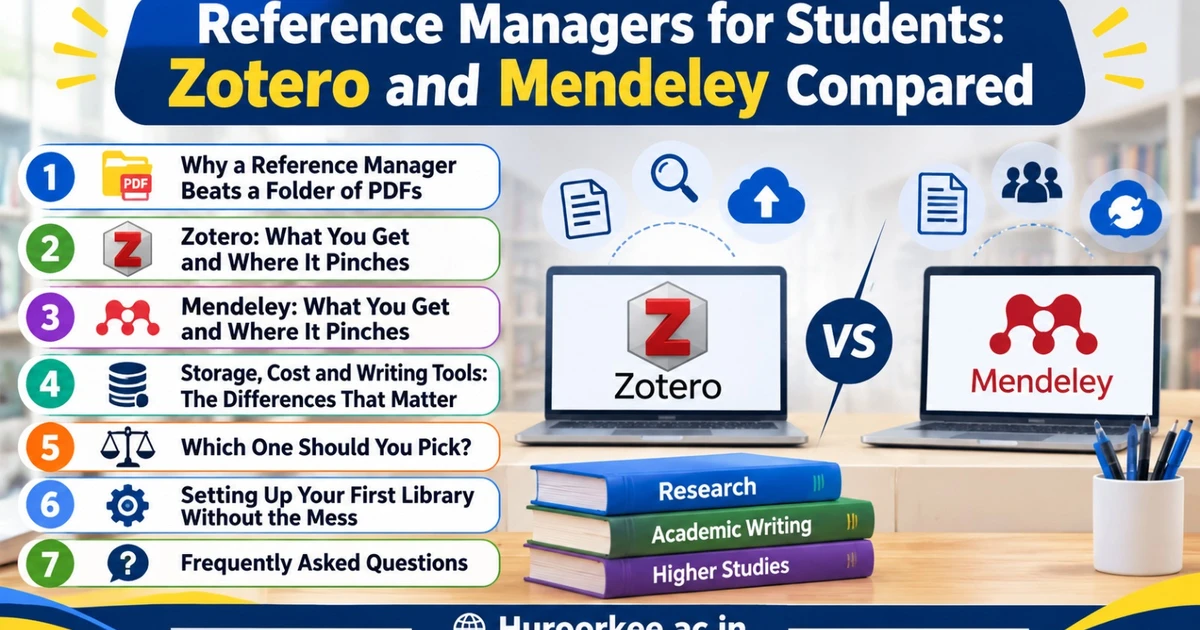
Reference Managers for Students: Zotero and Mendeley Compared
Dr. Rajiv Mahajan
Vice-Chancellor, Haridwar University
Every student reaches the same night sooner or later. The research report is due, the bibliography is half typed, and three of your sources have lost their page numbers. Reference Managers for Students: Zotero and Mendeley Compared is about avoiding that night. Both tools collect your sources, store your PDFs, and write citations for you automatically, but they differ in storage capacity, word-processor support, and organisational philosophy—and those differences determine which one suits your academic workflow best.
Below is an executive side-by-side comparison table. The detailed sections that follow explain what each capability means in practice, culminating in a clear roadmap for setting up a streamlined citation library you will never regret.
Table of Contents
- 1. Zotero and Mendeley Side by Side
- 2. Why a Reference Manager Beats a Folder of PDFs
- 3. Zotero: What You Get and Where It Pinches
- 4. Mendeley: What You Get and Where It Pinches
- 5. Storage, Cost, and Writing Tools: The Differences That Matter
- 6. Which One Should You Pick?
- 7. Setting Up Your First Library Without the Mess
- 8. Frequently Asked Questions
1. Zotero and Mendeley Side by Side
Here is the short version comparing the fundamental features of both platforms:
| Feature | Zotero | Mendeley |
|---|---|---|
| Cost to Start | Free | Free |
| Free Cloud Storage | 300 MB of cloud file storage | 2 GB of personal cloud storage |
| Paid Storage Tiers | 2 GB at $20/year, 6 GB at $60/year, unlimited at $120/year | Paid upgrades available via Mendeley institutional/premium tiers |
| Word Processor Integration | Native plugins for Microsoft Word, LibreOffice, and Google Docs | Mendeley Cite add-in for Word; legacy desktop plugin covers LibreOffice |
| Account Ecosystem | Zotero account (open-source project by nonprofit Digital Scholar) | Elsevier account (commercial publishing ecosystem) |
2. Why a Reference Manager Beats a Folder of PDFs
A desktop folder named final_sources_NEW2 works until your tenth paper. A reference manager keeps everything about a source in one searchable location: authors, article title, publication journal, year, DOI, personal reading notes, and the PDF attachment itself.
When you cite a source in your manuscript, the reference manager builds both the in-text citation and the complete bibliography entry from those stored metadata details. It also preserves your analytical annotations directly on the source. When you return to an article three weeks later, your highlights and margin notes sit right alongside the record, so you never have to hunt through a cluttered downloads folder.
Style Changes Stop Being a Chore
If your academic department requires APA format but the journal you are submitting to mandates IEEE or Vancouver style, you do not need to reformat citations manually. With bibliographic details indexed in your manager, you simply switch the citation output style and your entire document updates automatically within seconds. For a thorough walkthrough of these formatting conventions, explore our university guide on how to cite sources properly in APA, IEEE, and MLA.
What a Manager Cannot Do
A reference manager stores what you feed it. If an imported metadata record has a misspelled surname, missing volume number, or incorrect publication year, the citation plugin will reproduce that error directly in your bibliography. Checking each entry once immediately after importing takes only 30 seconds and saves an embarrassing correction from your thesis committee.
3. Zotero: What You Get and Where It Pinches
What You Get
Zotero is free and open-source, maintained by Digital Scholar, an independent nonprofit organisation. Its word processor plugins come bundled directly with the software and support Microsoft Word, LibreOffice, and Google Docs, as outlined in the official Zotero Word Processor Integration Documentation. If you collaborate across multiple platforms or write online, Google Docs support is an enormous operational advantage.
Collaboration in Zotero is also straightforward. Zotero does not charge extra for collaborative group libraries, allowing research project teams, laboratory peers, and co-authors to curate shared collections of literature effortlessly.
Where It Pinches
Each free Zotero account provides 300 MB of cloud file storage. If you sync full-text PDF attachments to the cloud, that allowance can fill up after several dozen academic papers. Upgrading requires a recurring annual subscription ($20/year for 2 GB, $60/year for 6 GB, and $120/year for unlimited storage), as documented on the Zotero Storage Plans Page. Additionally, in group libraries, shared file storage is billed against the group owner's personal quota.
4. Mendeley: What You Get and Where It Pinches
What You Get
Mendeley Reference Manager is free to use and operates across web browsers as well as standalone desktop applications for Windows, macOS, and Linux. Free accounts include a generous 2 GB of personal cloud storage, allowing students to store hundreds of research papers without immediate storage bottlenecks.
You can read, highlight, and annotate PDFs natively inside Mendeley, organize shared group collections, and insert citations in Microsoft Word using the modern Mendeley Cite cloud add-in, which operates independently without requiring the desktop application to run concurrently. Detailed operational insights are documented in the Bodleian Libraries Guide to Mendeley. Free tiers also provide access to reading assistant tools and support standard bibliographic imports via RIS and BibTeX formats.
Where It Pinches
Mendeley requires a centralized Elsevier account to log in. Furthermore, the modern Mendeley Cite add-in works primarily with Microsoft Word and does not support Google Docs. While the legacy Mendeley Desktop application supported LibreOffice, Elsevier has transitioned it to maintenance-only mode with no feature development. If your research team drafts primarily in Google Docs, Mendeley presents substantial friction.
5. Storage, Cost, and Writing Tools: The Differences That Matter
Cloud Storage Allocation
On the free tier, Mendeley's 2 GB allowance is nearly seven times larger than Zotero's 300 MB. However, it is essential to note that Zotero's 300 MB limit applies strictly to attached full-text PDF files; metadata records and notes consume negligible space. Students who store PDFs locally or link attachments through cloud storage services (like Google Drive or OneDrive) can use Zotero indefinitely for free.
Word Processor Support
Zotero provides the most versatile writing ecosystem with mature plugins for Microsoft Word, LibreOffice, and Google Docs. Mendeley Cite focuses squarely on Microsoft Word integration. If your thesis template is in Word, either platform functions smoothly; if your collaborative team writes in Google Docs, Zotero is the definitive choice.
Ecosystem and Governance
Zotero is governed by an independent nonprofit foundation prioritizing privacy and open standards. Mendeley is owned by academic publishing conglomerate Elsevier. While both provide dependable reference management, understanding whether you prefer an open-source non-commercial tool or a commercial publishing environment can inform your decision.
Interested in exploring scholarly output, sponsored faculty projects, and postgraduate publications? Discover our active research divisions at Haridwar University: Explore Research at HU →
6. Which One Should You Pick?
- Choose Zotero if: You draft papers in Google Docs or LibreOffice, frequently participate in collaborative group research, or value open-source academic tools.
- Choose Mendeley if: You write almost exclusively in Microsoft Word, prefer having 2 GB of free cloud PDF storage out of the box, and prefer Elsevier's integrated ecosystem.
- When in doubt: Adopt the reference manager preferred by your research supervisor, laboratory peers, or department faculty. Having colleagues who can troubleshoot reference issues accelerates your workflow significantly.
Students can also run a 15-minute trial: import five research papers into each tool, insert citations into a draft manuscript, and reformat the citation style once. Whichever interface feels most intuitive is your optimal choice. Most importantly, choose one platform early and stick with it throughout your dissertation.
For foundational guidance on synthesising academic literature before you begin citing, consult our companion handbook on literature reviews for beginners: finding and organising sources. To ensure complete academic integrity and ethical submission standards, review plagiarism and AI detection in university assignments.
7. Setting Up Your First Library Without the Mess
1. Start from Institutional Library Portals
Rather than relying on unindexed web search engines, capture sources through institutional academic repositories. Haridwar University provides faculty and students with extensive digital subscriptions including JSTOR, IEEE Xplore, Sage, and EBSCO BSE, alongside an active Reference Service where students can consult with reference librarians. Explore available learning platforms via the Haridwar University Central Library Overview. Capturing citations via browser extensions (such as the Zotero Connector or Mendeley Web Importer) directly from these indexed databases ensures clean, accurate metadata.
2. Check, Tag, Then Cite
Establish a systematic 3-step discipline for every imported paper: verify author names and publication year, assign 1–2 practical tags (such as methodology, empirical-data, or theoretical-framework), and write a one-sentence summary in the note pane. Ten seconds of record curation upon import eliminates hours of frantic bibliography formatting before submission deadlines.
3. Leverage Campus Support When Snags Occur
If you encounter technical access hurdles with database proxies, citation credentials, or institutional logins, consult the Student Care Centre in your academic block. As highlighted on the Haridwar University Student Welfare Service, dedicated support desks operate across every department with committed 24-hour response timelines.
For scholars planning advanced postgraduate research, establishing sound citation habits early underpins dissertation success. For institutional admissions, fee breakdowns, and research fellowship opportunities, review the HU Admission Fees and Scholarships Structure.
8. Frequently Asked Questions
Which is better for students: Zotero or Mendeley?
Neither tool is universally superior. Zotero is superior for students who write in Google Docs or LibreOffice, work in collaborative teams, or prefer open-source software. Mendeley is ideal for students who work primarily in Microsoft Word and want 2 GB of free cloud PDF storage without paying for an upgrade.
Are both reference managers genuinely free?
Yes. You can install and use both tools indefinitely without paying. Zotero provides 300 MB of free cloud file storage, while Mendeley provides 2 GB. Additional cloud storage space requires paid subscriptions on both platforms.
How much does extra cloud storage cost in Zotero?
Zotero offers paid storage tiers priced at $20/year for 2 GB, $60/year for 6 GB, and $120/year for unlimited storage. However, metadata and bibliographies do not count against this storage limit, meaning users who store PDFs locally never need to upgrade.
Can I use reference managers with Google Docs?
Zotero natively supports Google Docs through its browser connector, allowing seamless citation and bibliography generation in collaborative documents. Mendeley Cite currently focuses on Microsoft Word and lacks direct Google Docs integration.
Do I need an Elsevier account to use Mendeley?
Yes. Mendeley operates under the Elsevier publishing ecosystem, so users must register an Elsevier account to sync references, access cloud storage, and configure the Mendeley Cite plugin.
Should new students still install Mendeley Desktop?
No. The legacy Mendeley Desktop application is in maintenance mode and no longer receives active feature updates. Elsevier directs new users to install the newer Mendeley Reference Manager application and Mendeley Cite add-in.
Can I use reference managers for collaborative group projects?
Yes. Both tools support shared group libraries. Zotero offers unlimited group libraries for free (attachments count against the group creator's storage quota). Mendeley also supports private collaborative groups for sharing references and annotations.
Will a reference manager format my bibliography with 100% accuracy?
The output is only as accurate as the imported metadata. Always verify that author names, journal titles, publication years, and page ranges are populated correctly before generating final submission drafts.
Can I migrate my citations if I decide to switch tools later?
Yes. Both platforms allow you to export your entire citation collection as a standard RIS or BibTeX file, which can then be imported directly into the alternative reference manager without losing record metadata.
Advance Your Research Career at Haridwar University
Empower your scholarly journey with state-of-the-art laboratory infrastructure, institutional database access, active faculty mentorship, and comprehensive research funding. Applications are now open for postgraduate and doctoral programmes for the 2027 academic session.